
When using ChatGPT, there is an option to export your account data.
In my case, however, the export process appeared to be completely broken.
No matter how many times I requested a data export, the confirmation email never arrived.
The Issue
I ran into the following situation:
- Requested Data Export multiple times from ChatGPT settings
- No export email arrived at all
- Spam and promotion folders were already checked
- Tried on different days, repeatedly
- Tried from desktop browser, mobile browser, and the app
I had exhausted all troubleshooting options on my end.
What didn't work
These actions made no difference:
- Repeating the export request
- Waiting longer
- Switching browsers or devices
This strongly suggested that the issue was not related to my local environment.
What actually worked
What finally resolved the issue was reporting it as a bug to OpenAI support.
How to report a bug to OpenAI
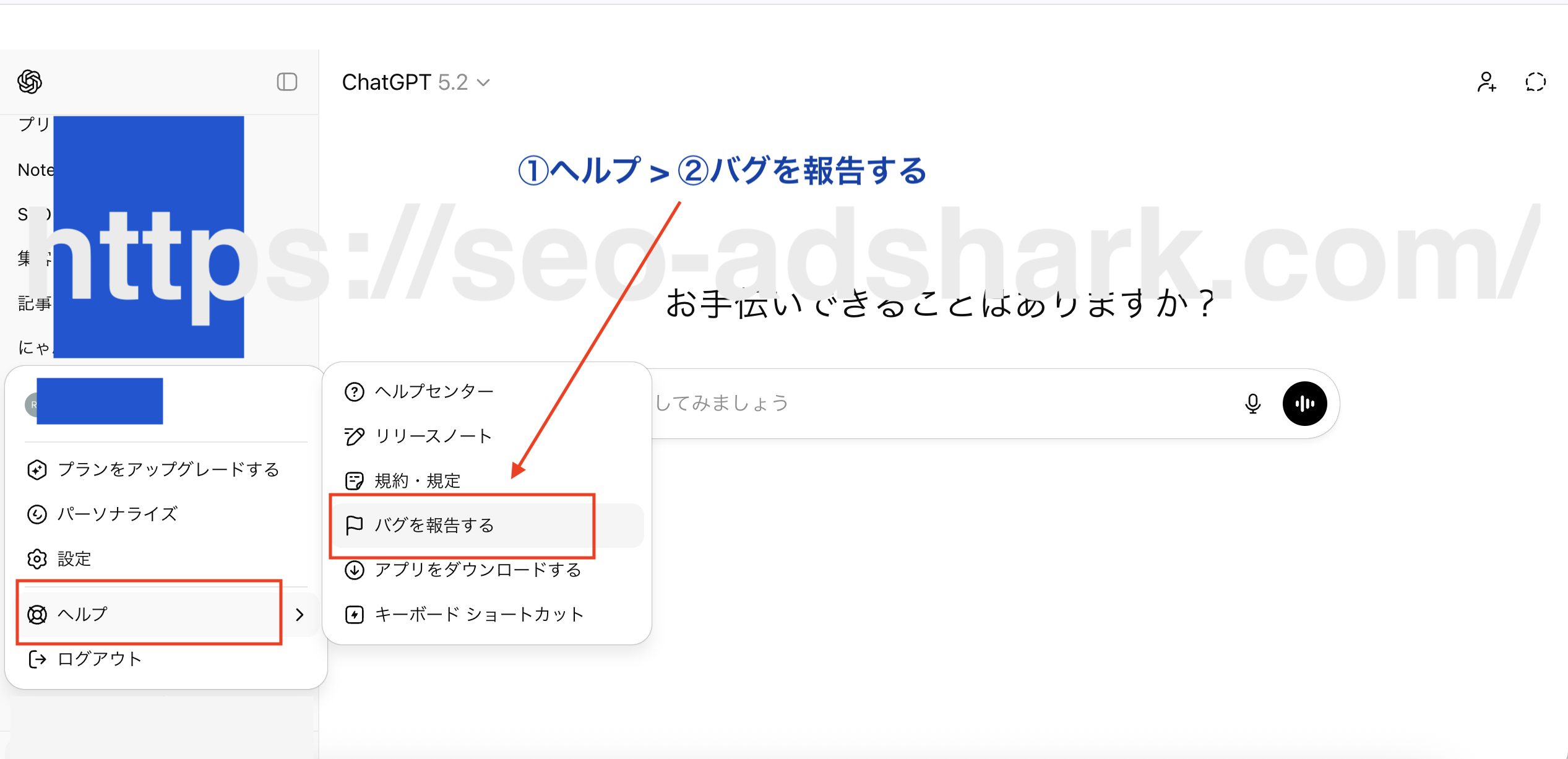
If none of the standard troubleshooting steps work, reporting it as a backend issue worked in my case.
- Click on Help
- Select Report a bug
- Fill out the Contact Form
Note: When contacting support, I kept the message extremely simple and factual, assuming it would be processed by an automated system.
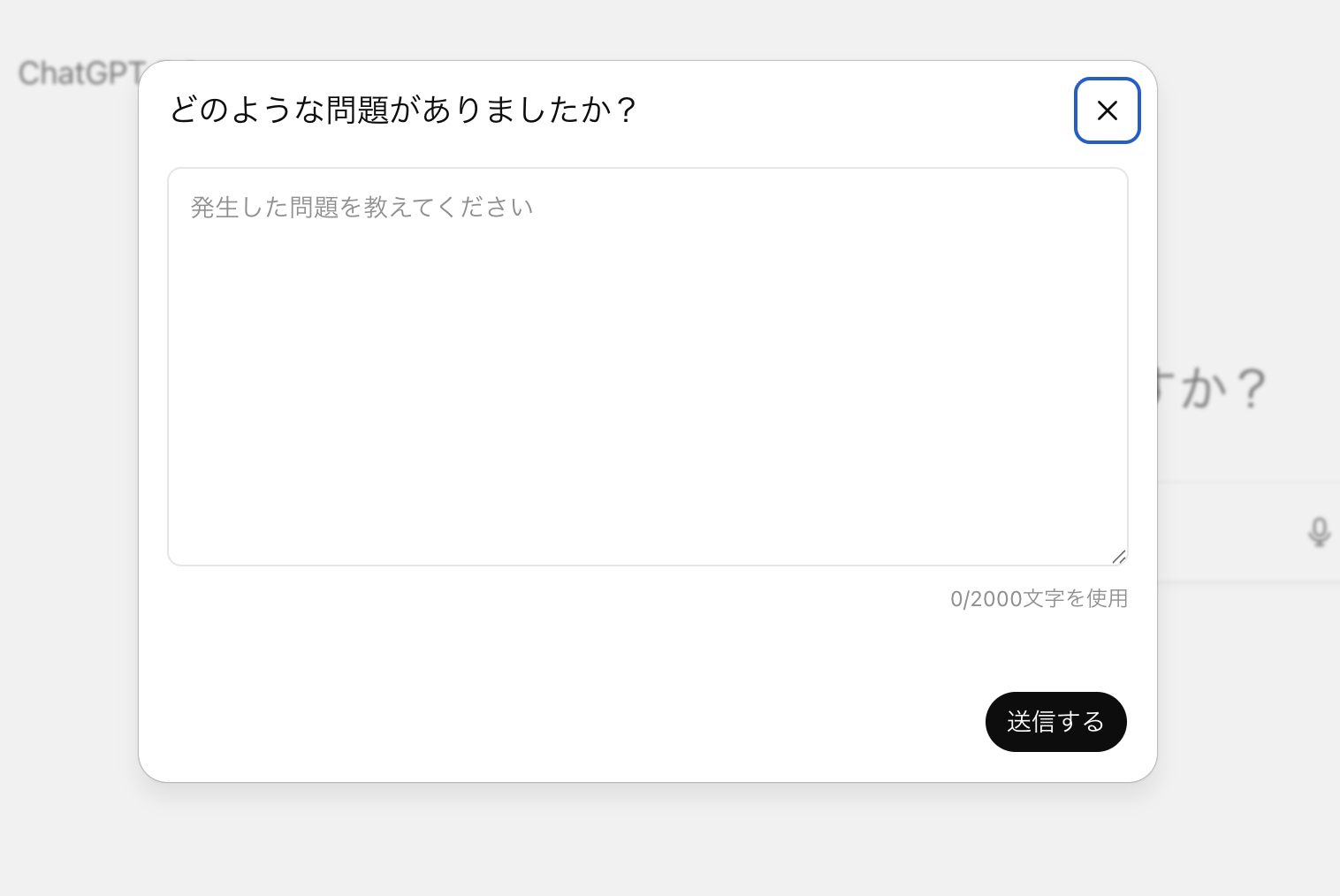
The message included only:
- Data export does not work
- Spam folder already checked
- Export failed multiple times
No assumptions, no emotions, no long explanations.
The report was sent late at night.
The result
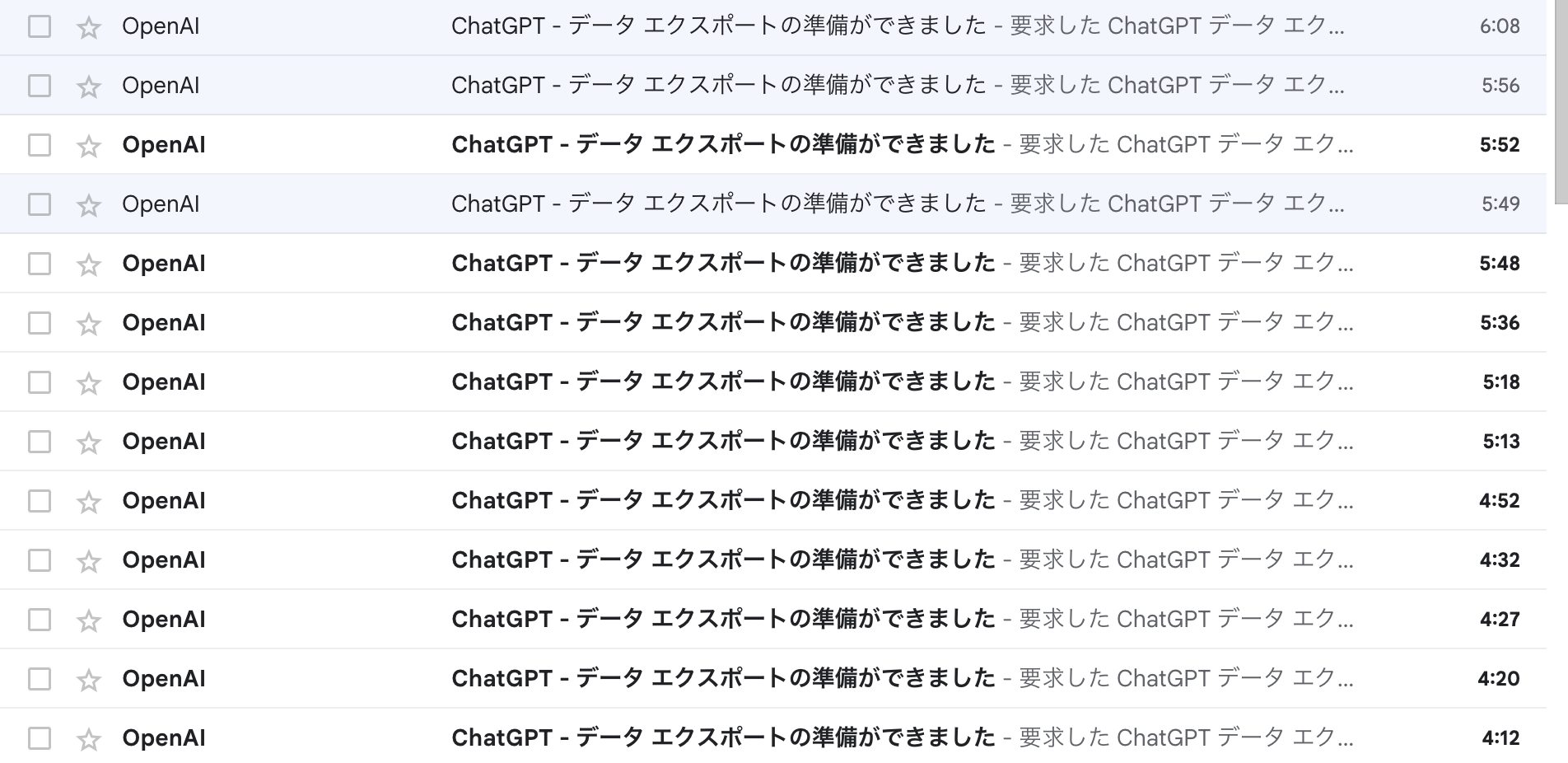
Early the next morning, I suddenly received multiple emails titled:
> “ChatGPT – Your data export is ready”
All previously failed export attempts appeared to complete at once.
No additional action was taken on my side.
This strongly suggests that the issue was caused by a server-side glitch, and that the export jobs were released or retried after the backend issue was fixed.
Key takeaways
- Export failures are not always caused by user settings or email filters
- If emails never arrive despite repeated attempts, reporting it as a bug may be the fastest path
- Keeping the support message short and factual seems effective
- Issues might be resolved overnight after submitting a report
- Receiving many export emails at once likely indicates queued jobs being processed together
If you are stuck retrying exports without success, continuing to troubleshoot locally may be a waste of time.
Escalating it as a backend issue can resolve it much faster.
Note: This article is based on a real-world case observed in a specific environment.Results may vary depending on account status or backend conditions.
